
Apple Shortcuts
How to trigger Quick Capture's Apple shortcuts from Lock-screen?
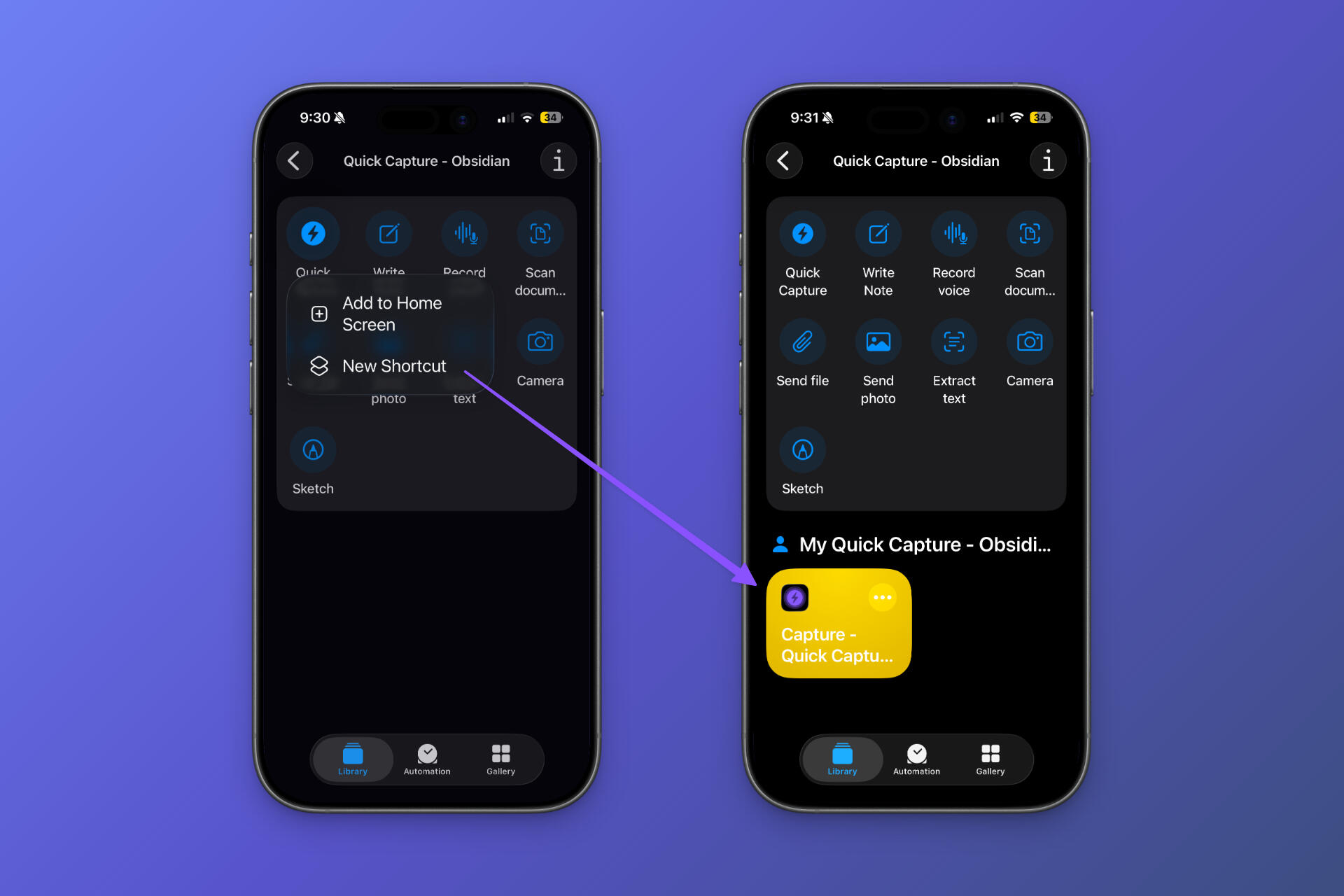
Step 1: Go to Shortcuts app > Search for Quick Capture app > Long tap on Quick Capture app from the provided options & choose New shortcut
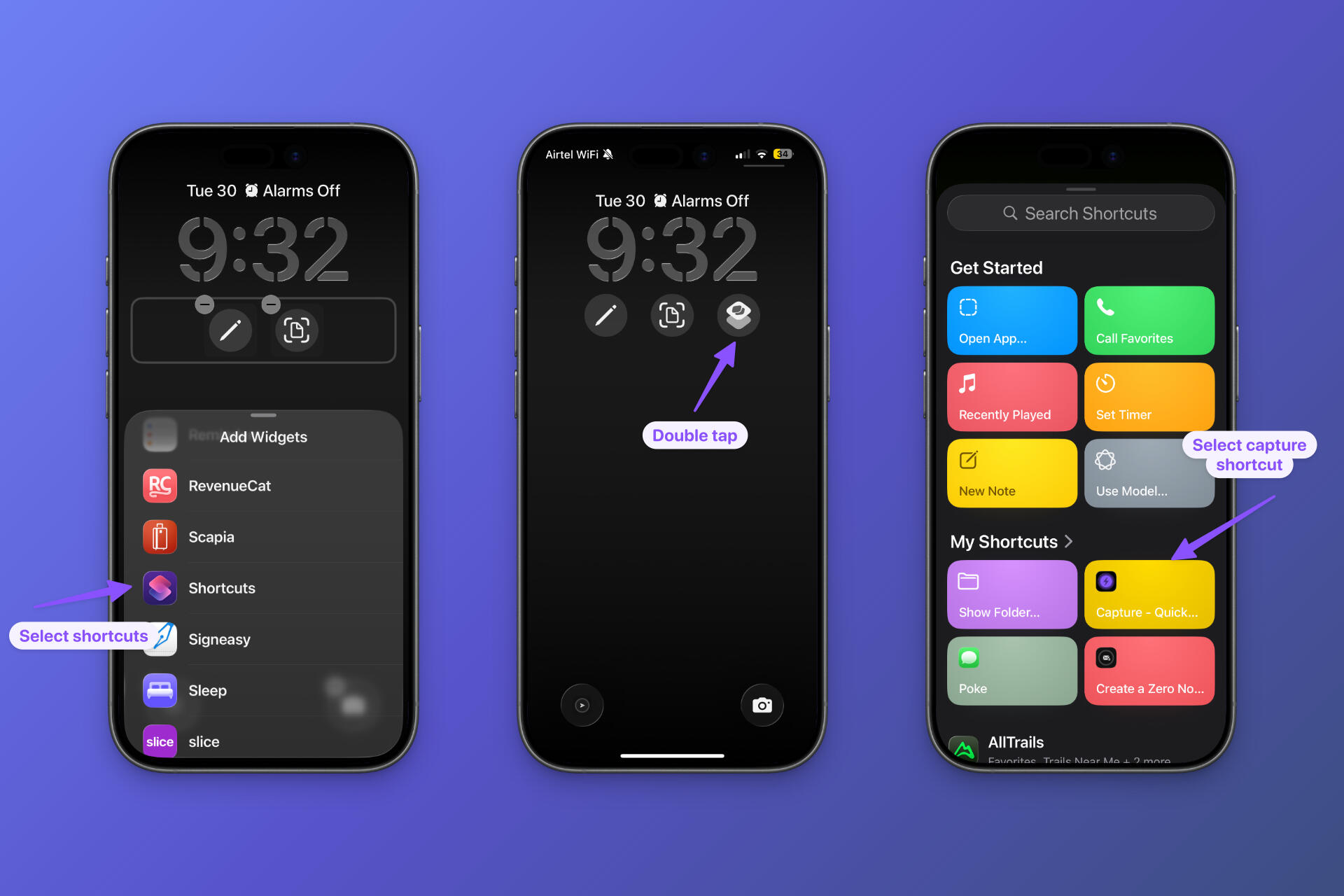
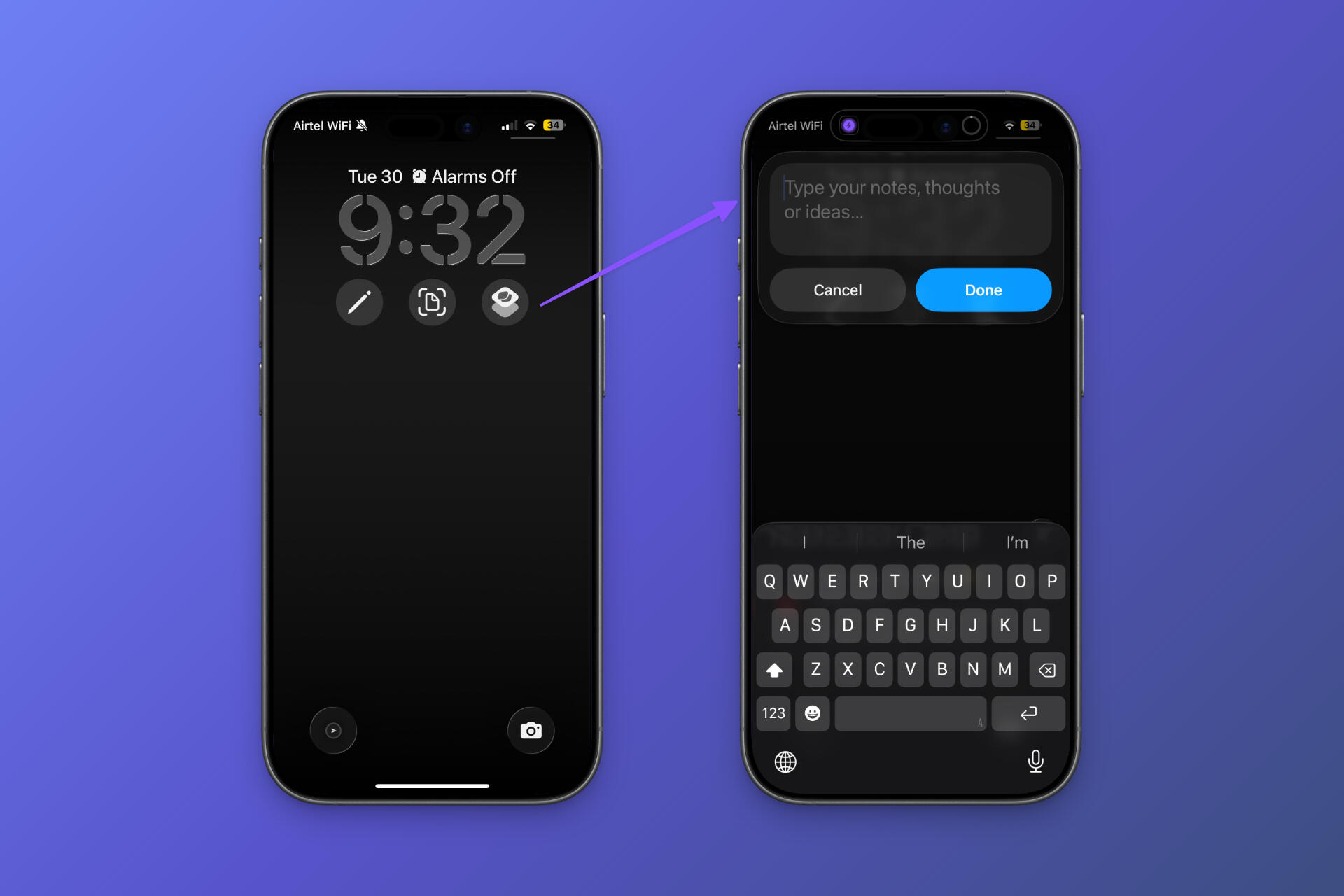
Step 2: Long press on lock screen > Tap on widgets to add a widget > Select shortcuts > Double tap on shortcut widget > Then choose capture shortcut
Download Text capture - https://www.icloud.com/shortcuts/7939860d8c1d4fd79a975fe36575f949
Download Voice capture - https://www.icloud.com/shortcuts/091bcd61686c42d79357a1bac899f6f6